
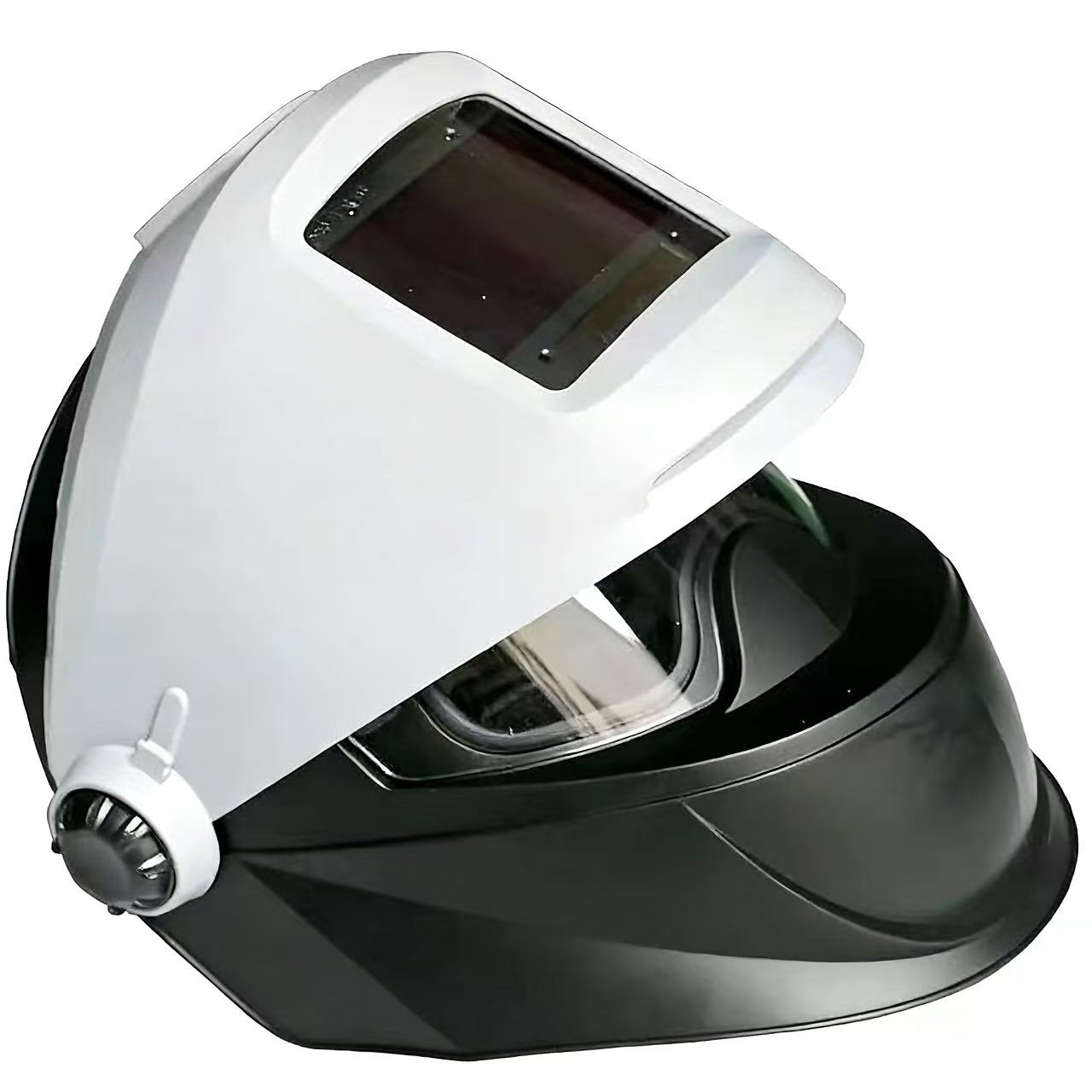
If your laser welding helmet is not darkening or keeps flickering, stop welding. Check the operating mode, power supply, sensor obstruction and the controls specified for your exact helmet. Do not keep welding to test it. Auto-darkening performance and laser protection are separate: a lens turning dark does not verify its laser protection rating.
What the symptom does—and does not—tell you
An auto-darkening filter changes the visible shade in response to light detected by its sensors. A separate laser-protective filter attenuates light within its specified wavelength range. A problem with shade switching is a reason to take the helmet out of service, but it does not identify the condition of the laser filter. Likewise, normal switching does not prove that the assembled helmet is suitable for a particular laser process.
This guide covers inspection questions for a helmet combining these two functions. It is not a procedure for converting an ordinary arc-welding helmet into laser PPE. Use the instructions supplied for the complete laser-rated configuration, and have your laser safety officer or qualified safety professional confirm suitability before use.
1. Check the operating mode before changing settings
A helmet left in grind mode may remain light because automatic darkening is disabled in that mode. Check the mode indicator against the instructions. Do not weld in grind mode.
Also check whether a fixed-shade lock or tack mode is active. A locked shade can explain why the filter stays dark. Tack mode can introduce an intermediate shade before returning to the light state, so its transition may look different from ordinary operation. Neither mode establishes laser protection.
2. Check power and accessible components with the laser disabled
Look for a low-battery warning. Follow the complete helmet’s instructions for battery type, polarity and replacement. Inspect accessible parts for damage or loose seating without opening sealed electronics or altering the optical assembly.
A solar cell does not mean that a helmet can always operate without a working battery. If the power warning remains after the specified maintenance, remove the helmet from service and contact the supplier.
3. Look for blocked or dirty sensors
Check whether dirt, spatter or an incorrectly positioned cover obstructs the sensor windows. Clean only as instructed, using compatible materials. Do not scrape optical surfaces, remove a laser filter or reposition protective components to make the sensors respond.
Note when the problem was first noticed: after maintenance, after a drop, or only in a particular working position. That history helps the supplier investigate. Do not recreate the fault by firing the laser while wearing a suspect helmet, and do not look toward a beam to test sensor response.
4. Understand sensitivity, shade and delay
These controls serve different purposes. Turning all of them up is not a reliable diagnosis.
- Sensitivity changes how readily the auto-darkening system responds to light. Use the approved instructions for your complete helmet; arc-welding recommendations are not automatically laser-welding settings.
- Shade sets the visible dark-state level. A higher shade number is not a higher laser optical-density rating.
- Delay controls the return from dark to light after the trigger ends. It is not the light-to-dark switching speed and cannot repair a defective filter.
Record the current settings for technical support rather than guessing a universal setting. Any functional check should use the manufacturer’s approved test procedure, without exposing anyone to a laser beam.
5. Know when to stop troubleshooting
Keep the helmet out of service if switching remains unreliable, the filter has cracks or unusual light/dark sections, the optical assembly is loose, or a protective component is missing. A helmet that has been dropped also needs inspection according to its instructions.
Use only replacement components approved for the exact configuration. A clear cover lens, auto-darkening filter and laser-protective filter are not interchangeable. If the wavelength marking or configuration cannot be verified, ask for documentation before returning the helmet to use.
Lasvio’s auto-darkening helmet configuration
The Lasvio version discussed here combines an auto-darkening assembly with a separate laser-protective filter specified at 950–1100 nm, OD8+. This specification refers to the laser-protective filter; it is not a statement that the auto-darkening shade provides OD8+ protection or that the complete helmet is suitable for every laser power and exposure condition.
The referenced control assembly offers five sensitivity levels, shade ranges of 5–9 and 9–13, and five dark-to-light delay settings: 0.1, 0.5, 1, 1.5 and 2 seconds. It also includes tack mode, shade lock and weld/grind selection. These describe available controls, not recommended laser-welding presets. Confirm the supplied configuration and its operating instructions when ordering.
See the Lasvio auto-darkening laser protective helmet to discuss a replacement or new purchase. Ask for the documentation covering the supplied laser filter and complete helmet configuration.
A helmet does not replace workplace protective measures. Our guide to laser welding helmets, safety glasses and enclosures explains their different roles.
Frequently asked questions
Does flickering mean the laser filter has failed?
Not necessarily. Flickering describes the switching behavior of the auto-darkening system; it does not test laser-filter integrity. Stop using the helmet and have the cause checked. Do not assume that the separate filter makes continued operation acceptable.
Can I increase the shade to get more laser protection?
No. The shade control changes visible darkening. Laser protection must be assessed from the filter’s wavelength-specific rating and the suitability of the complete protective system.
Does a longer delay make the helmet darken faster?
No. Delay concerns the return to the light state, not how quickly the filter darkens.
Can I use an ordinary auto-darkening welding helmet?
Not on the strength of its auto-darkening feature. Use a documented configuration intended for the laser application and approved through the workplace safety assessment.
What should I send when asking about a replacement?
Send the laser equipment model, wavelength, operating power and mode, helmet label photos, current control settings and a description of the fault. Photos should be taken with the equipment safely disabled. Do not create a live welding video using suspect protection.
Need help choosing a replacement helmet?
Send Lasvio your equipment details, existing helmet label and required quantity through the enquiry option on the auto-darkening helmet product page. Request the available configuration, supporting documentation and quotation. Final workplace suitability should be confirmed by your laser safety officer or qualified safety professional.